regex
A regular expression.
Can be used as a show rule selector and with
string methods like find, split, and replace.
See here for a specification of the supported syntax.
Example
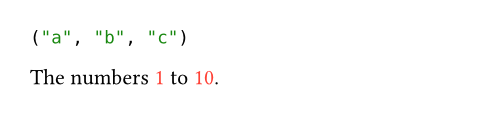
// Works with string methods.
#"a,b;c".split(regex("[,;]"))

// Works with show rules.
#show regex("\\d+"): set text(red)

The numbers 1 to 10.
ConstructorParameterParameters are input values for functions. Specify them in parentheses after the function name.
Create a regular expression from a string.
regex()->regexRequiredRequiredRequired parameters must be specified when calling the function.PositionalPositionalPositional parameters can be set by specifying them in order, omitting the parameter name.
regexThe regular expression as a string.
Both Typst strings and regular expressions use backslashes for
escaping. To produce a regex escape sequence that is also valid in
Typst, you need to escape the backslash itself (e.g., writing
regex("\\\\") for the regex \\). Regex escape sequences that
are not valid Typst escape sequences (e.g., \d and \b) can be
entered into strings directly, but it's good practice to still
escape them to avoid ambiguity (i.e., regex("\\b\\d")). See the
list of valid string escape sequences.
If you need many escape sequences, you can also create a raw element
and extract its text to use it for your regular expressions:
regex(`\d+\.\d+\.\d+`.text).